


Roman Kamushken
Part of: Dashboard UI design: From KPIs to layouts that convert — the complete reference to dashboard design on Setproduct.
Why audience blind spots kill campaigns
Most campaign dashboards treat audiences like faceless blobs. You see clicks, conversions, and bounce rates, but not the people behind them. That’s like analyzing a movie’s success without knowing who watched it.
Was it teens? Grandparents? Cat influencers?
If your dashboard doesn’t answer these questions, you’re flying blind. Let’s fix that.
Demographic dashboards that don’t stereotype

Age, gender, income: these aren’t checkboxes. They’re clues. Here’s how to visualize them without insulting your audience.
Age groups: Ditch the pie chart. Use a sliding histogram. Example: Show spikes for 18–24 (TikTok crowd) vs. 45–54 (email loyalists). Let users drag the range to see how spending habits shift.
Income brackets: Never display exact numbers. Bucket them. “Under $50k,” “$50k–$100k,” “Over $100k.” Use a stacked bar chart to compare purchase frequency across brackets.
Gender: Add a “non-binary/other” category. If your data doesn’t include it, you’re part of the problem. Visualize with a split bar chart, but keep it simple.
Pro tip: Use Venice.ai to generate fake demographic data for mockups. Upload your campaign brief, and get realistic age/income distributions in seconds.

Mapping where your audience actually lives
Geographic data isn’t just for global brands. Even local campaigns need to know if their ads work in the suburbs vs. downtown.
Heatmaps lie: Avoid rainbow color schemes. Use two shades: light for low engagement, dark for high.
Example: A coffee chain’s coupon campaign might show dark zones near office parks (8 AM rush) and light zones in residential areas (noon).
City-level insights: Add a toggle between map and list view. Some marketers prefer scanning top cities by conversion rate. Sort alphabetically and by performance.
Time zones matter: For global campaigns, display a live clock bar showing peak activity in LA, NYC, London, and Tokyo. Color-code it: red for sleeping hours, green for prime time.
Stalking your audience behavior (Legally)
Behavioral data tells you what people do, not what they claim in surveys. Track these three things:
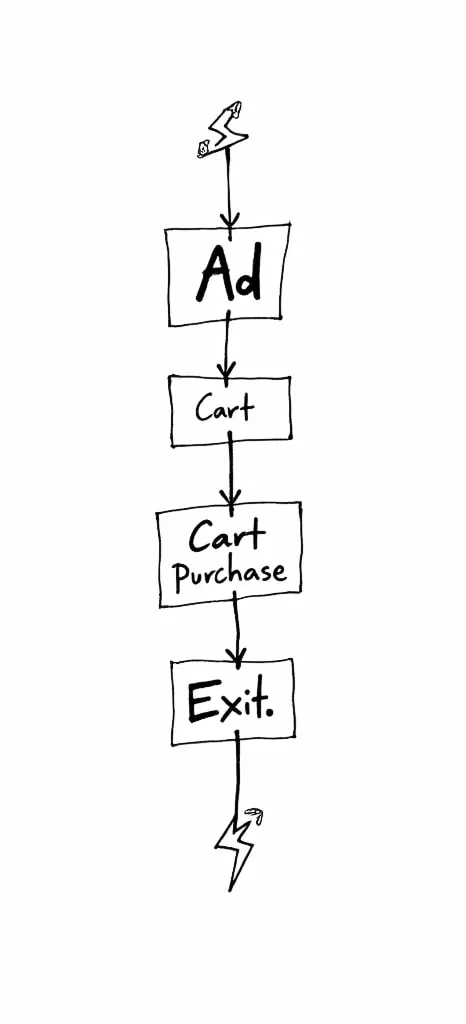
Click pathways: Show the three most common journeys from ad click to purchase. Example:
- Instagram ad → Product page → Cart → Checkout (2 mins).
- Google Search → Blog post → Cart → Abandon (5 days later).
Use a flow diagram with thickness indicating drop-off rates.
Device wars: Mobile vs. desktop isn’t enough. Break it down:
- Mobile: iOS vs. Android, app vs. browser.
- Desktop: Chrome vs. Safari, ad blockers on/off.
Visualize with split donut charts (yes, donuts are allowed here).
Content binging: Which campaign assets get repeat views? A 10-second TikTok clip vs. a 30-minute YouTube tutorial. Use a scatter plot with X-axis = time spent, Y-axis = shares.
Avoid "Creepy" factor in audience analytics
Nobody wants to feel like you’re reading their DMs. Design with privacy in mind.
Anonymize aggressively: Never show groups smaller than 100 people. Replace exact locations with neighborhoods.
Explain your data: Add a tiny “?” icon next to demographics that links to a plain-English disclaimer. Example: “Age data sourced from first-party sign-ups, not third-party tracking.”
Let users opt out: Include a toggle to hide demographic insights. Some brands (or laws) require it.
Squeeze demographics into a watch screen 📲
Tiny screens + detailed analytics = disaster. Here’s how to simplify:
Demographic priority: On mobile, show only the top two segments. Example: “68% female, 60% aged 25–34.” Tap to expand.
Geo filters: Let users search their city or drop a pin on a mini-map. Autocomplete is mandatory.
Behavioral Snippets: Rotate bite-sized stats every 10 seconds. “7 AM: Mobile traffic spikes. 12 PM: Desktop purchases peak.”
Making data engineers love you (Handoff)
Demographic and behavioral data means messy databases. Prepare your dev team.
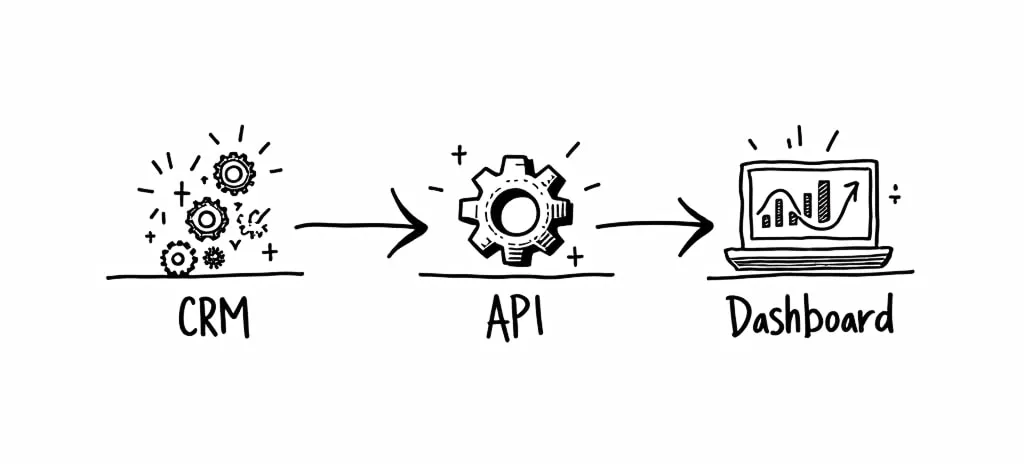
Data sources table: List every API and its refresh rate. Example:
- Google Analytics: Every 24 hrs.
- CRM: Real-time.
- Survey Data: Manual upload.
Error handling: What if age data stops flowing? Show a placeholder: “Demographic insights paused for privacy review.”
Cache rules: Specify how long geographic data stays fresh. City-level: 1 hour. Country-level: 1 day.
So, Designers, stop guessing. Start listening.
Marketers aren’t mystical creatures. They’re stressed humans with bosses breathing down their necks about ROAS and CTR.
The best campaign dashboards aren’t built in design sprints — they’re built in conversation.
Ask marketers what keeps them up at night. Is it proving ROI before the quarterly review? Spotting a dying campaign before the budget’s gone?
The worst dashboards happen when designers treat marketers like toddlers who can’t handle complexity.
Newsflash: Marketers eat spreadsheets for breakfast.
Next time a marketer says, “I waste hours digging for this metric,” that’s your goldmine. Build a shortcut, not a Dribbble shot.
Here’s the kicker: A dashboard’s job isn’t to look clean. It’s to turn panic into action. Use Venice.ai to mock up their nightmare scenarios. Hand them Setproduct’s Figma Chart templates and say, “Break this. Show me where it hurts.” The faster you stop designing for applause and start designing for sweaty-palmed marketers refreshing data at 2 AM, the faster your dashboards actually matter.
Hand drawn marketing stock images
With Venice.ai I generated dozens of hand drawn marketing illustrations to visualize the narrative of this post. You are free to use it for any purpose without limitations.
I appreciate, if you could refer to this publication (Link to: https://www.setproduct.com/blog/campaign-marketing-dashboards-guide), of you liked those pictures.