

Roman Kamushken
Creative plagiarism by Adobe. Designers should beware
While the AI used by Adobe is intended to make life easier for designers, the fact that it is using the work of others without permission has raised serious ethical concerns.In recent years, Adobe Creative Cloud has become a popular platform for designers to share their work with the world. However, the company has recently come under fire for its practice of "stealing" artwork from designers and using it to train their artificial intelligence (AI) algorithms.
This has caused a great deal of outrage among the creative community and raised questions about the ethical implications of such a practice.
CC has been accused of taking artwork from unsuspecting designers without their permission and using it to improve the accuracy of their AI algorithms. The company has also been accused of using artwork to create deepfakes. This has caused many designers to feel like their work is being exploited by a company that they have no control over.
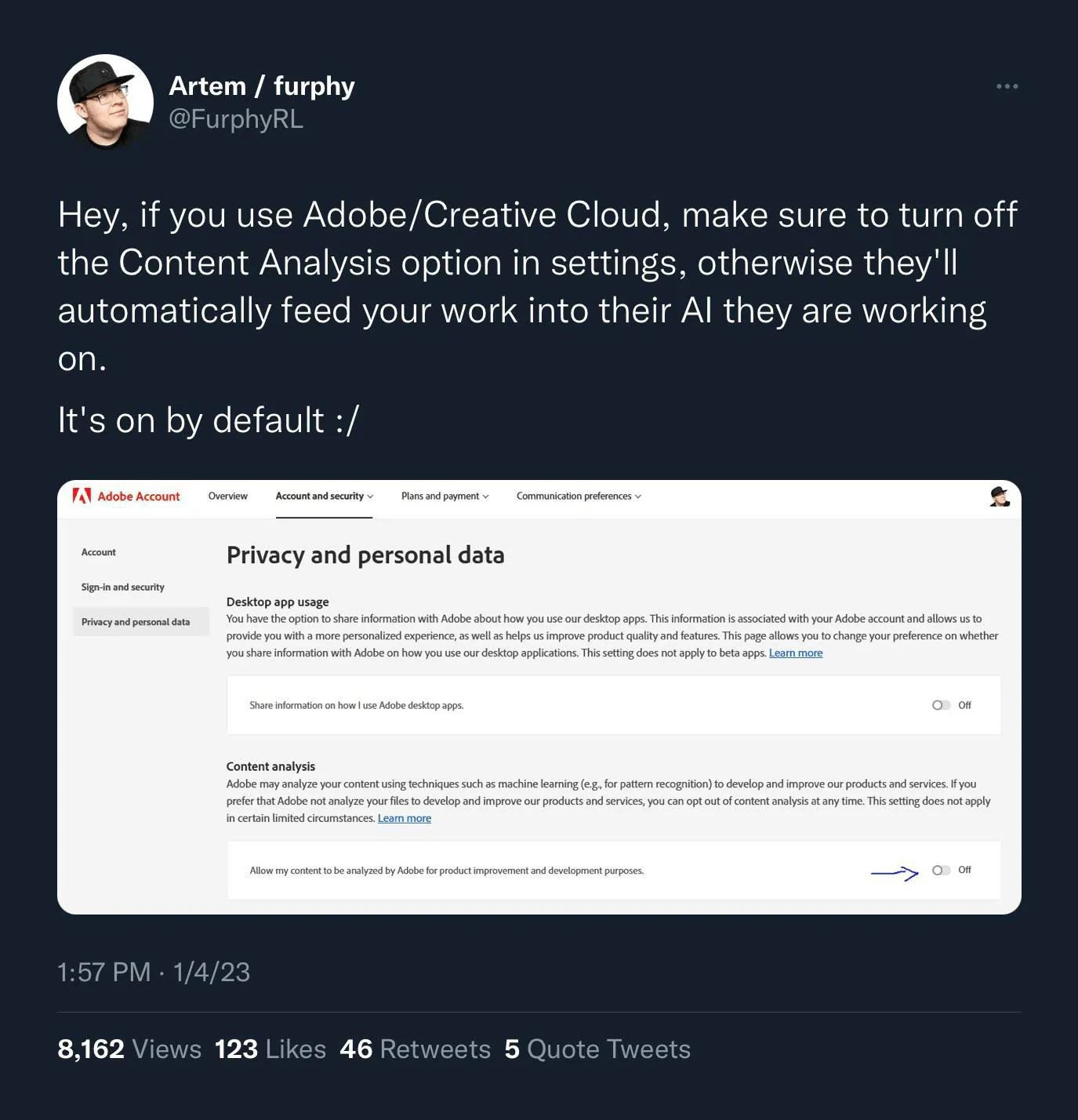
The full thread on Reddit
The issue of a potential stealing artwork has become a major talking point in the creative community and has caused many to question the ethical implications of such a practice.
-
On one hand, it could be argued that Adobe Creative Cloud is simply using artwork to improve their AI algorithms.
-
On the other hand, such a practice is unethical as it is taking artwork without the permission of the artist.
In order to protect themselves from having their artwork stolen, designers should ensure that they are aware of the terms of service of any platform they use to share their work.
Note: If you own a personal version of the Creative Suite, you can make use of this function, or manually disable it. But if you are using the Creative Suite at work, or your employer holds the license for it, this function simply does not exist.
In conclusion, the issue of Adobe Creative Cloud stealing artwork is a serious one and is causing a great deal of concern in the creative community. To keep your designs safe from AI, designers should:
-
Opt-in to have your work used to train their AI, or opt-out if you don't want it
-
Use a watermark to make it more difficult to use your art without a permission
-
Make sure to register your artwork with the U.S. Copyright Office, if appropriate
-
Consider using an alternative platform to share your work, or switch to a paid plan, as Adobe disabling this option for corporate accounts
_Cover image credit: Martin Naumann,_ Creative Cloud