

Roman Kamushken
How to hire a dream team
Selecting the right app design and development services for your project is a critical decision that can have a major impact on the success of your product. Having a detailed research about studio's specialty, portfolio, internal processes, the team – helps you not to deal with inexperienced tech crews.With the right partner, you can have a successful product, but with the wrong one, you could end up with an application, website, or mockup that fails to meet your expectations and fall through at a launch. This post is aimed to assist you in making the right decision. It will provide you with a comprehensive plan for gathering information and conducting thorough research into design and app development services comparison.
Understanding your goals
Before you start your research, it's important to identify what you are aiming to achieve by hiring a design & development team to create your product. By knowing your needs it's easier to evaluate potential agencies and find the right fit for you.
Ask yourself questions like (and better to write down the answers):
- What is the purpose of this application and features do I want to include?
- Do I require just a design or have to consider the development too?
- Should I start with just a web application, or cover all mobile platforms?
- What are my design requirements and colors expectations?
- What are my timeline and budget, finally
Either, having a clear and non-oversaturated brief, or at least a collection of your preferred resources may help a design team to perform a quick start.
Accepting risks
Start by compiling a draft list of studios and then study each team's speciality, portfolio, user reviews, founder & team skills and level.Having a clear vision of your project specifications will make it easier to hire professionals and avoid sudden expenses due to wasted time. Otherwise you might get stumbled into a difficult situation due to one or more frequent reasons listed below:
- Poor communication: Without clear communication of the project goals, objectives, and timeline, the final product might not meet your expectations.
- Poor quality: Quality assurance is essential to ensure that the final product is bug-free, has all key features, and has a great user experience.
- Cost overruns: Inexperienced studios may underestimate the work involved in a project, leading to costly overruns and delays.
- Unmet deadlines: Without proper project management, deadlines could be missed, resulting in delays and unhappy customers.
- Non-clear business needs: Lack of understanding of client's business needs and app goals may lead to a weak conversion and poor user experience.
By understanding these risks, you can get prepared for potential issues and avoid them by compiling a draft list of studios and then study the team's speciality, portfolio, user reviews, founder & team skills for each candidate. You may use a 10 points rating system to sort your results afterwards. This will help you to rate studios more objectively.
Knowing agency's speciality
When examining a design studio's specialty, it is important to browse the types of particular services they offer and the projects they have completed in the past. Some of studios may be good at landing pages and weak on complex dashboards. Some can lay down a good code, but suck at UI/UX design. Look for a focused team.
- Do they specialize in mobile apps, web apps, sites or everything?
- Do they have any project experience in your industry?
- Are they familiar with the technologies you need for your project?
- Are they up-to-date on the latest frameworks, UI design trends, design systems, components, etc?
Checking the portfolio
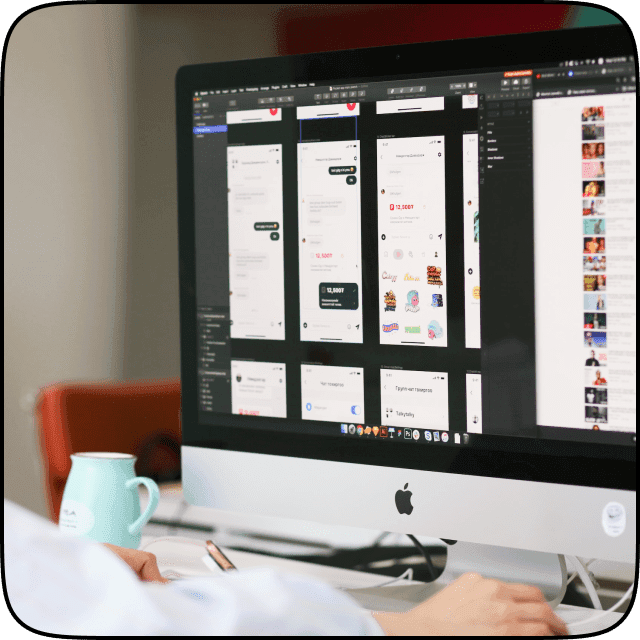
Once you have narrowed down your list of potential agencies, it's time to take a closer look at their portfolio and references. Check to see if the particular studio has experience working with similar projects previously, and understands the design guidelines you're looking for.
Examine each project with the aim for:
- Quality of design: Look for modern, creative, and high-quality designs that guarantee you they are following UI trends.
- Usability: Assess how easy it to use the application, or website they've designed; not forgetting to check the quality of code.
- Responsiveness: Make sure that the applications they have produced are responsive to different viewports.
- Browser support: Test any of the projects from their portfolio for correct displaying in most popular browsers.
- Loading speed & SEO: You're allowed to measure even the loading speed & SEO rank for a certain finished projects for previous clients.
Evaluating agency's process
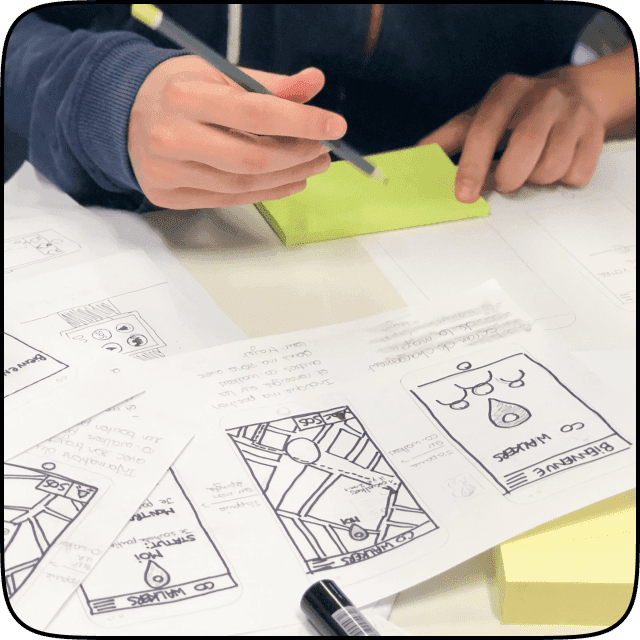
Next, it's important to evaluate the agency's processes. Ask the team to explain their design and development process, including how they handle project management, internal communication, schedule and timelines. Make sure their process is fully transparent for you – thus you'll understand how a studio will build your app from start to finish.
- What are the design tools and tech stacks they are capable of?
- Are there any project management apps used inside the team?
- How are they going to communicate with you, as their client?
- How many iterations, tests, design/code revisions are available?
- What about subsequent product support, bug-fixes and further application development?
Do the last exploration
Committing a thoughtful analysis will prevent you from unqualified services:
-
Check out the studio's previous customer reviews and feedback on sites like Trustpilot, Google reviews, etc.
-
Look into the team's qualifications. Check out their LinkedIn profiles to know a level of experience they have in the industry.
-
Investigate the CEO's transparency. Learn for how long a founder is in the field. Study his social accounts to know how he speaks publicly.
-
Dig out on Twitter and Reddit additionally. Take a look at the conversations about the design studio, the amount of followers, likes and reposts ratio.
Final thoughts
Choosing the ideal UI design and development team is a critical choice that will significantly affect the success of your project. To make the best decision, consider your needs, budget, timeline; and research deeply the agency you're aimed for, while also asking yourself the pointing questions.
Doing this will guarantee that you have selected the proper technical staff!

.avif)
.avif)
.avif)
.avif)
.avif)
.avif)